
Shopping Cart
 English
 Français
FAQ
Customer Account
You need to create an account to order parts and consumables on the Alépoc website.
It’s very simple, just 3 clicks, go to this link and complete the form.
If you would like guidance with this process, take a minute to watch this short explanatory video.
To access your personal Alépoc account, you need a password.
If you have lost it, click on this link: Password recovery then enter your email address.
You will then receive a link in your email box to reset your password, follow the indicated steps.
To ensure the delivery of your Alépoc car parts and consumables, it is necessary to register your delivery address.
This is quick and simple, go to this link and click on "Create a new address" (you must be logged in to your Alépoc account).
Website
Would you like to have the Alépoc site handy in your browser to make it easier to order parts for your classic car?
Watch this short explainer video and follow the steps (-1 min).
To easily see the latest Alépoc parts and consumables, you have two options.
- 1 : Click on the following link: New Products You will have access to the latest parts added by our company.
- 2 : You can also click on this link: Alepoc You will see all the latest Alépoc news regarding parts, services and blog articles.
Order
To quickly access the desired parts and consumables, use the search bar.
Click on the search bar in the site menu, type the name of the part.

The part will be displayed along with similar items.
Click on the product you are interested in; you can check compatibility with your car by viewing the product description.
Alépoc makes searching for parts for your car model easier.
Click on the search bar in the Alépoc site menu.
Then type the name of your model (example: Water pump 4CV).
All compatible parts for this model will then appear.
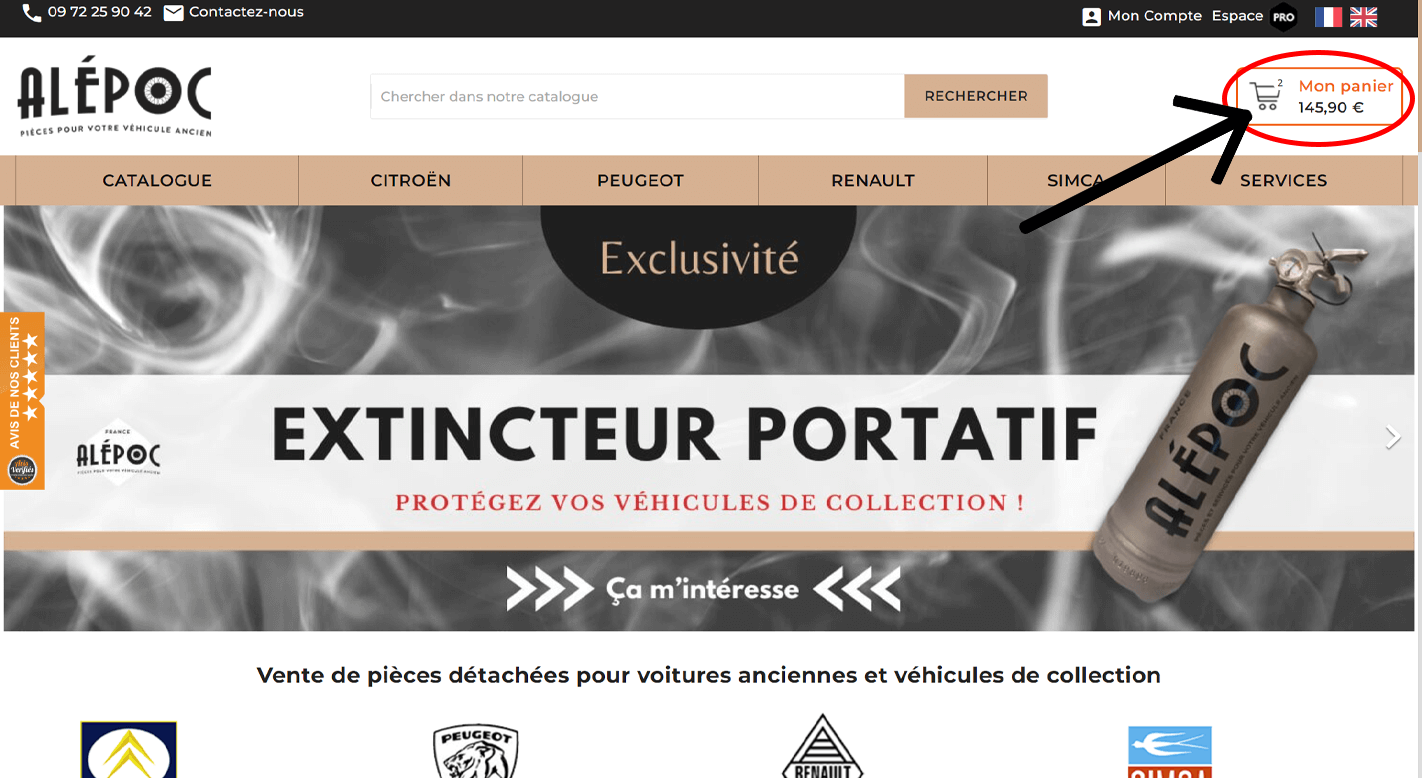
To delete a product from your cart, go to the dedicated page by clicking "My cart" in the Alépoc site menu.
Then click on the little trash can next to the item you want to remove from the cart.
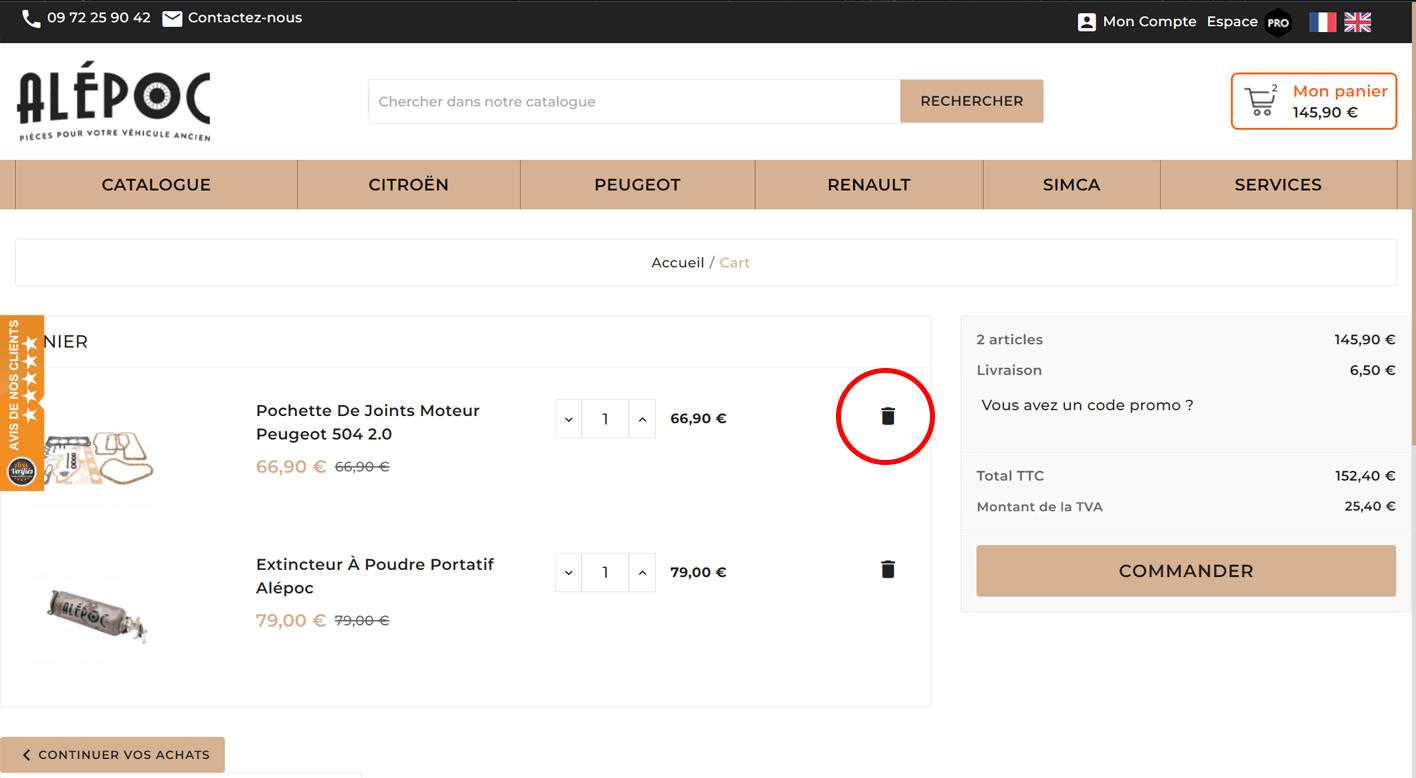
And the item is gone, you can order your auto parts and consumables!
To quickly purchase your car parts and consumables on Alépoc, 3 steps are needed:
-
1: Find the item(s) you are interested in; you can use the search bar if you know the name of the item.
or use the menu to search for the car model you are interested in.

Once on the page of an item that interests you, click "add to cart".
You can add as many items as you want to the cart.
-
2 : Then click "My cart" in the site menu.
-
3 : Your cart page will open, click the "Order" button.

Then follow the steps indicated on the order page.
If you have an Alépoc promo code and want to use it, please follow these instructions.
Once your auto parts and consumables are in the cart, click on "My cart".
The cart page will then open, you will see a box like the one below.
Click on the sentence "Do you have a promo code?"
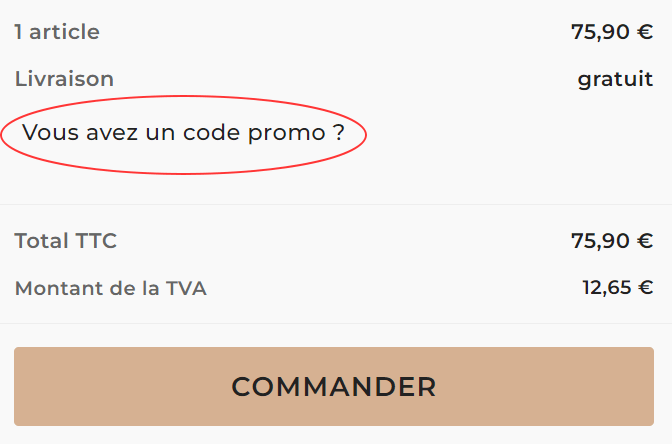
You can enter your promo code in the displayed field.
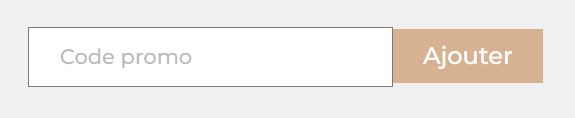
Then click "Add".
That’s it! Your promo code is active; you can now place your order.
Payment & Billing
Alépoc offers several payment methods for your auto parts and consumables orders:
The list of payment methods is available on this page: Secure payments
You have added items to your cart, and now wish to complete your Alépoc parts and consumables order.
Click on "My cart" in the site menu.
Your cart page will open, then click on the "Order" button.
Then follow the instructions on the Alépoc order page.
Would you like to benefit from installment payments at no additional cost for your auto parts and consumables?
When finalizing your order, choose the Alma payment method. You can choose to pay in 2, 3, or 4 interest-free installments.
Then press the "Pay my order" button and follow Alma’s instructions.
Whether you are an individual or a professional, after ordering your auto parts and consumables, go to "my account" and then click on Order History
Delivery
To see the list of our carriers, go to this page: Delivery
If you want to use our Click and Collect service to order your Alépoc parts and consumables, just follow these 3 steps:
- 1: Add the desired items to the cart.
2: Go to your cart page and click the "Order" button.
Then fill in your personal information
3 : You will then be asked to choose a delivery method. Choose the free "In-store pickup" option.

You can then finalize the order.
We are waiting for you at 116 avenue de la 1ère armée, in Auch 32000 from Monday to Friday during the following hours: Check our hours
If you want more details about Click and Collect, go to this page: Click and Collect
If you want to differentiate your delivery and billing addresses on Alépoc, it’s very easy, just follow these 3 steps.
- 1 : Once your items are in the cart, click "Order" then enter your personal information.
2 : Then a delivery address will be requested. After entering it, click the following sentence:

You can then fill in your billing address, and then click "Continue".
- 3 : You can then choose your delivery method and complete the order.
Order received / Returns
Go to the Alépoc product page you are interested in.
Scroll down the page to the "Verified Reviews" section if the product has already been rated.
Go to this page to learn about our product return policy: Product returns
Services
Alépoc offers you 2 solutions to best protect your car.
-
We offer you a portable Alépoc fire extinguisher in case of fire on your classic.
Contact
There are several ways to contact Alépoc.
- 1 : You can fill out the contact form on this page: Contact us
- 2 : By phone at 09 72 25 90 42
- 3 : You can also visit us in person at 116 avenue de la 1ère armée, 32000 Auch, France (Check our hours)
In any case, we do our best to respond as soon as possible.
If you have a technical question about an Alépoc auto part or consumable (compatibility, dimensions, etc.), do not hesitate to contact us!
Go to the following page: Contact us
Business
Would you like to benefit from Alépoc Pro advantages by opening an account?
It’s very simple, go to this link: Create my PRO account
Click on "Create your Professional account"
Then follow the indicated steps
Otherwise, watch this short informational video and repeat the process (-1 min)
Club
If you would like to become a partner, please do not hesitate to contact Alépoc using this link: Contact us